
For families
Your school just got easier to keep up with
Your school is moving to QuickKicks. That means one free app for your child's classes, belt progress, payments and forms, so you always know what's next and never have to call to find out.
On a computer? Sign in on the web with the same email.
Getting started
Three steps, about two minutes
Your school has already added your family. All you do is sign in.
- 1
Download the app
Search for QuickKicks on the App Store or Google Play. It's free. Prefer a computer? Everything works in your browser too.
- 2
Sign in with your email
Use the email address your school has on file. No password to remember: tap “Email me a code” and we'll send a 6-digit code.
- 3
You're in
Your children, their classes and your account are already there. Your school set it up before you arrived.
A quick tour
Built around what parents actually ask
Is anything wrong? Where do we need to be? How is my kid doing? Where's that form? The app answers them in that order.
Home
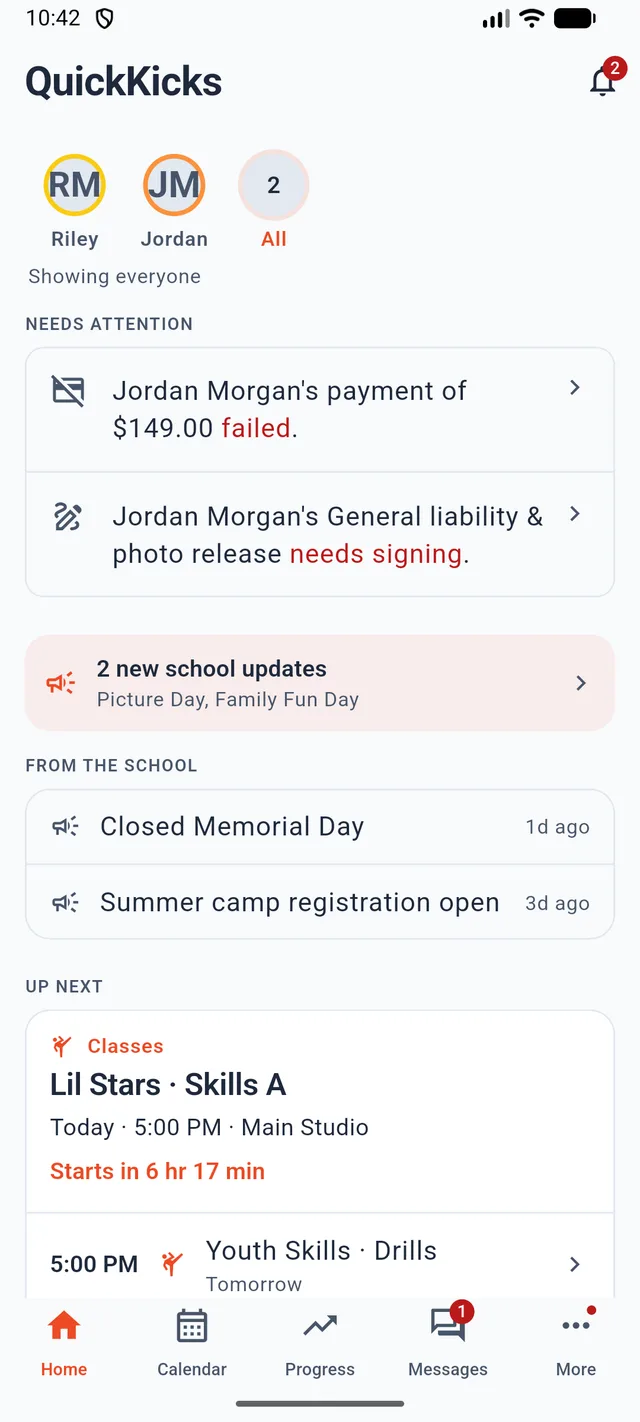
Know if anything needs you, at a glance
The home screen opens with what needs your attention, like a payment that didn't go through or a form to sign, and tells you exactly which child it's for. Below that: news from your school and your next class, with a countdown.
- Needs attention, named and one tap from fixed
- School announcements, so a closure never surprises you
- Switch between kids, or see the whole family at once
Calendar
One calendar for the whole family
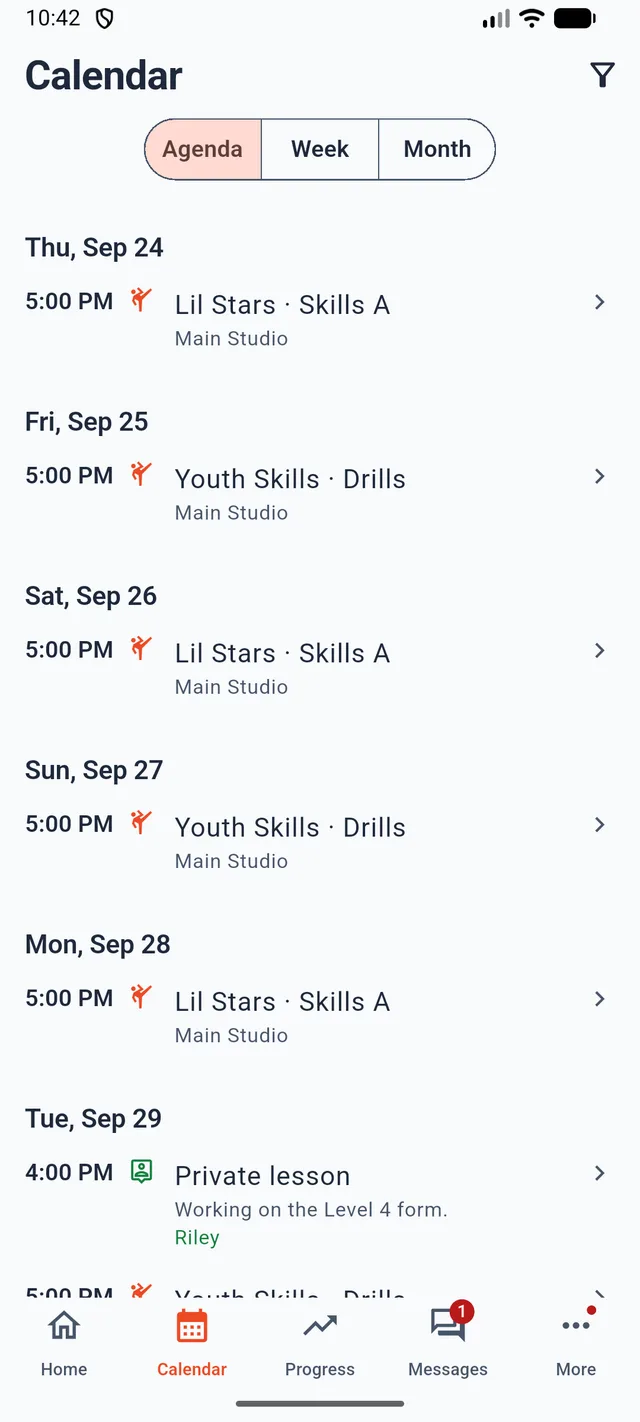
Classes, events, private lessons, belt tests and parties live in one place. View it as a list, a week or a month. Anything that belongs to one child says whose it is.
- Agenda, week and month views
- Booked private lessons show up next to regular classes
- Sign up for school events from the app
Progress
See what it actually takes to reach the next belt
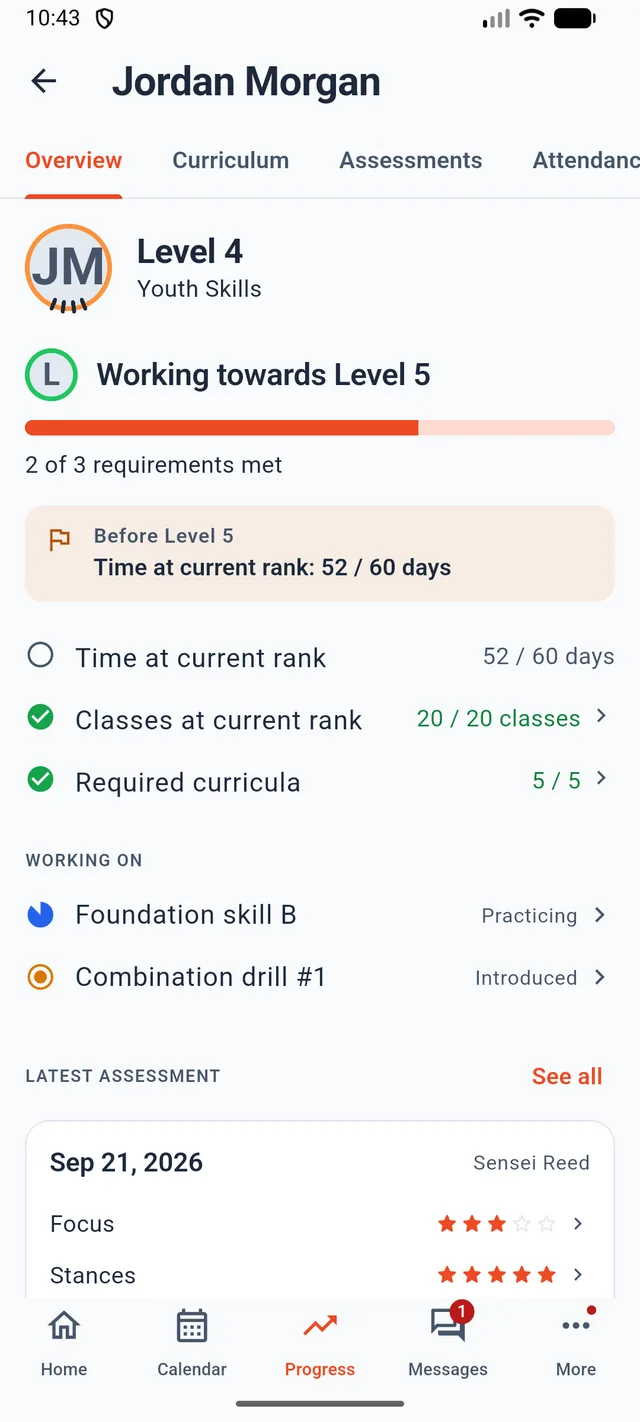
No vague percentage bar. You see your school's real promotion requirements, like time at the current rank, classes attended and required skills, each with its own numbers and whether it's met.
- Every requirement for the next rank, met or not yet
- The instructor's latest assessment, category by category
- What your child is working on now, with practice videos where the school adds them
Your account
Every errand, two taps away
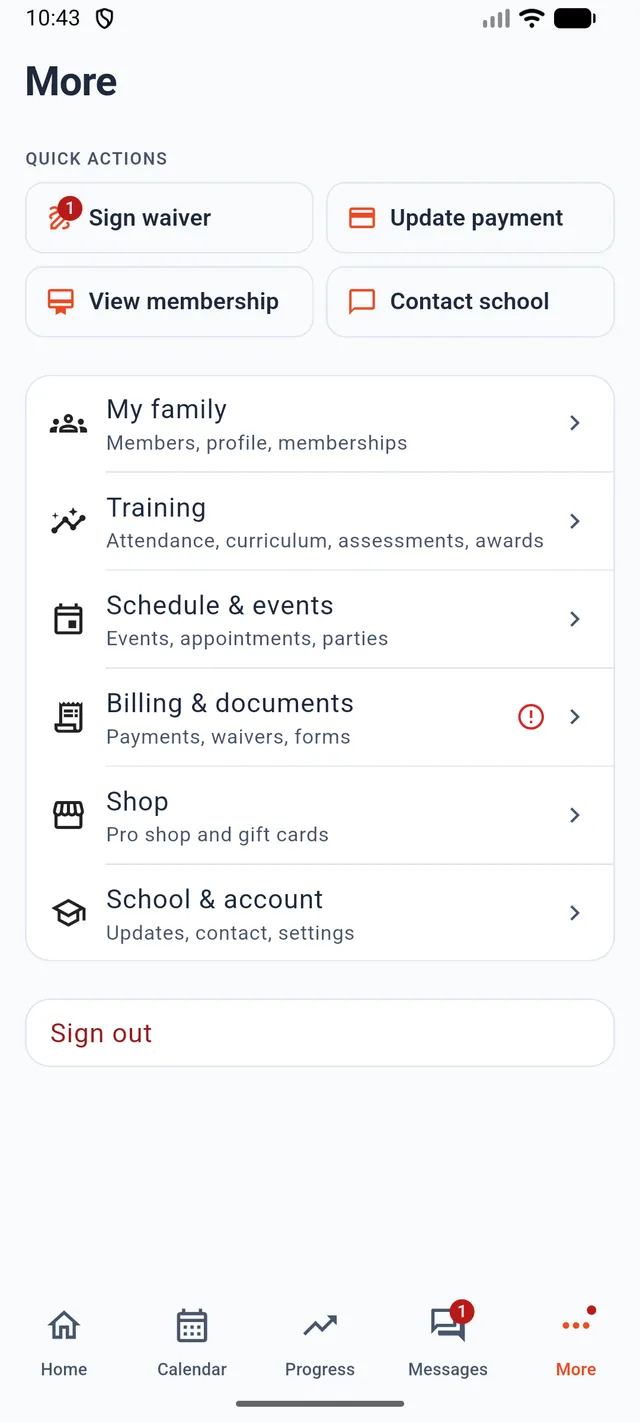
Update a card, sign a waiver, check your membership or contact the school without a trip to the front desk. Everything else is grouped by the job you came to do.
- Payments, invoices and memberships
- Waivers and forms, signed on your phone
- Pro shop and gift cards
And the rest
Fewer calls to the front desk
Everything you used to phone in, email about or fill in on paper.
Payments without the phone call
See what you owe and what you've paid, update your card, and pay a balance yourself.
Forms, signed in a minute
Waivers and consent forms on your phone. No clipboard at the front desk.
Awards and attendance
Every class attended and every award earned, kept for you in one place.
Events and tests
Belt tests, camps, parties and school events on your calendar, with event sign-up in the app.
Built for families
One login for all your kids. Training at two QuickKicks schools? The app asks which one to open.
Hablamos español
The whole app is available in Spanish and follows your phone's language setting.
Your details, visible to you
See the emergency contact and doctor your school holds for your family, so you know they're right.
Phone, tablet or computer
The app on your phone, a side-by-side layout on a tablet, and the same account in any browser.
New this fall
A brand-new parent app
We rebuilt the app this fall around the questions parents ask in the five minutes before class. If you've used it before, update it and take a look.
Read everything that's newRebuilt around your questions
The app now opens on what needs you, then what's next, instead of a menu of folders.
One calendar instead of five lists
Classes, events, lessons, tests and parties merged into a single feed.
Real promotion requirements
Progress shows the school's actual gates with numbers, not a mystery percentage.
Safer checkout
The app confirms the amount first, pays inside the app, and tells you if anything failed.
Questions
What families ask us
No. The app is free to download and free to use. Your school provides it.
See you on the mat.
Get the app now so it's ready before your next class. Any trouble signing in, your school's front desk can sort it out.
Run a school that's moving to QuickKicks? Get the announcement kit with a ready-to-send email for your families.