
Switching kit
Get your families excited about the switch
A ready-to-send email, a text message and a front-desk post, plus a page to send parents to. Copy, fill in the highlighted parts, send.
The plan
Four touches, two weeks
Schools whose families sign in fast all do the same thing: tell them early, tell them more than once, and make the first sign-in easy.
- 1Two weeks before
Send the announcement email
Families should hear it from you, in your words, before anything changes. Lead with what they get, and put the date in.
- 2The week before
Text it, and say it at class
Send the short text, mention it at the end of class, and put the front-desk post up where parents wait. Repetition is what makes it stick.
- 3Go-live day
Invites go out
Your families get their sign-in invite. If you're re-collecting cards, the secure card link goes out the same day. We run this with you.
- 4The first week
Lend a hand to anyone still getting set up
Busy weeks happen, and not everyone loves new apps. The App usage report shows who hasn't signed in yet, so you can offer a friendly hand at pickup. Usually it's just a different email on file, and fixing it at the desk takes a minute.
Step 1
The announcement email
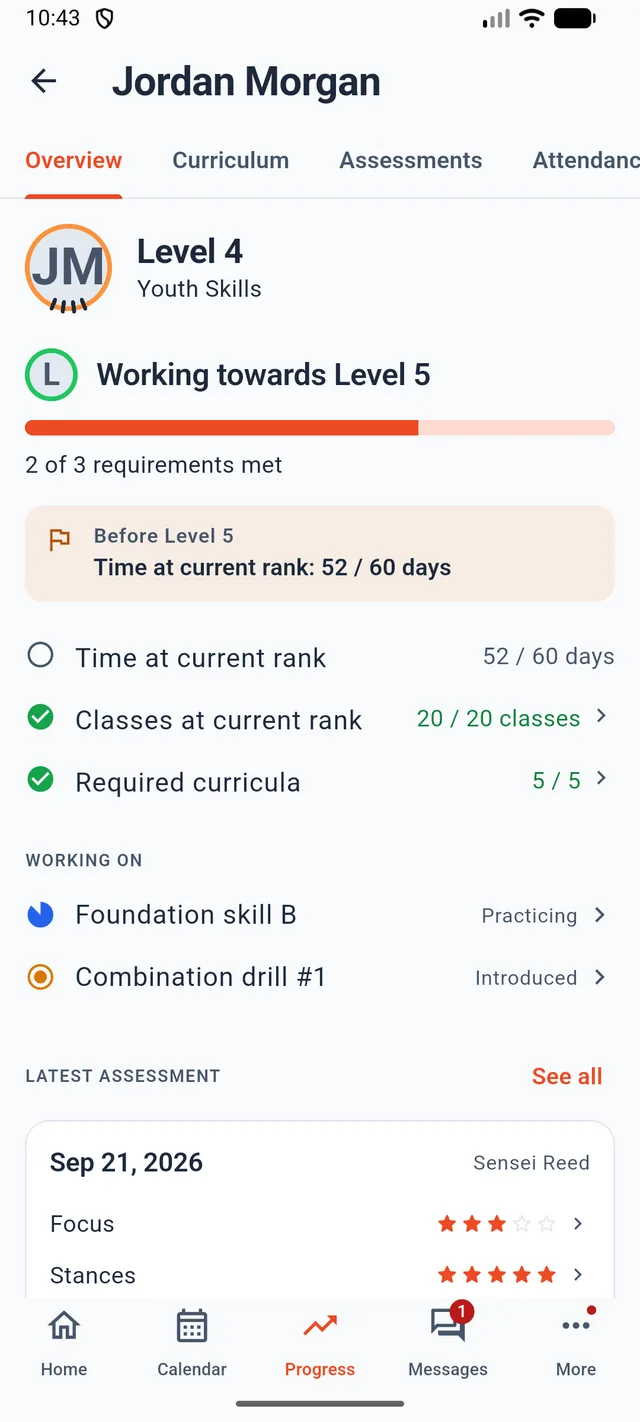
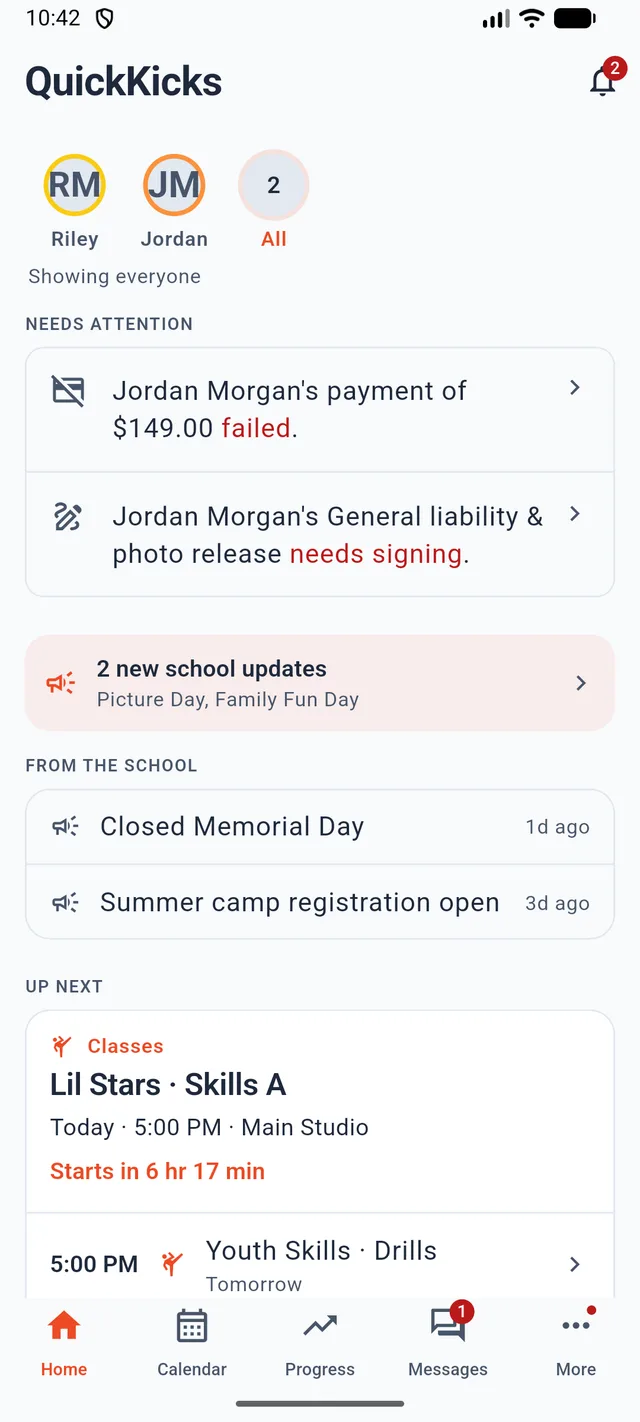
Every benefit a parent cares about, in plain words. Fill in the highlighted parts and send it from your own email, so it comes from someone they know.
- Highlighted parts are yours to fill in
- Links to a tour page with real screenshots
- Only promises what the app does today
Email to families
Subject: Something new for [School Name] families: our new app
Steps 2 and 3
The short versions
For the week before: a text that fits on one screen, and a post for the front desk, your newsletter or your school's social pages.
Text message
Front desk or social post
Send them here
One page that does the explaining
Every message above links to quickkicks.app/parents: a tour of the app with real screenshots, the three steps to sign in, download buttons for both stores, and answers to the questions parents ask most. It's written for parents and says nothing about pricing or software.
What makes it land
Four things that get parents signed in
Lead with what parents get
Nobody is excited about new software. Everyone is excited about knowing exactly what their kid needs for the next belt.
Say what isn't changing
Same classes, same instructors, same price? Say so in one line. It answers the question most parents won't ask out loud.
Name one place to ask
“Reply to this email or ask at the front desk” is better than a list of channels. Make it easy to get help.
Check the emails on file
Parents sign in with the email you have for them. A quick tidy-up before go-live saves most of the first week's questions.
Want help with the announcement? We'll draft it with you as part of your switch to QuickKicks.
Not on QuickKicks yet?
Book a 20-minute switch consultation. We'll map your move, import your roster and rank ladders, and run the family announcement with you.
Not a martial arts school? The same platform runs gymnastics, ninja gyms, dance, swim, music, skating, climbing and racket programs, in their words rather than belts. Start with yours.