
For families · Payments
Your billing page
See what you’ll pay and when, your past invoices, and the cards on file.
 1
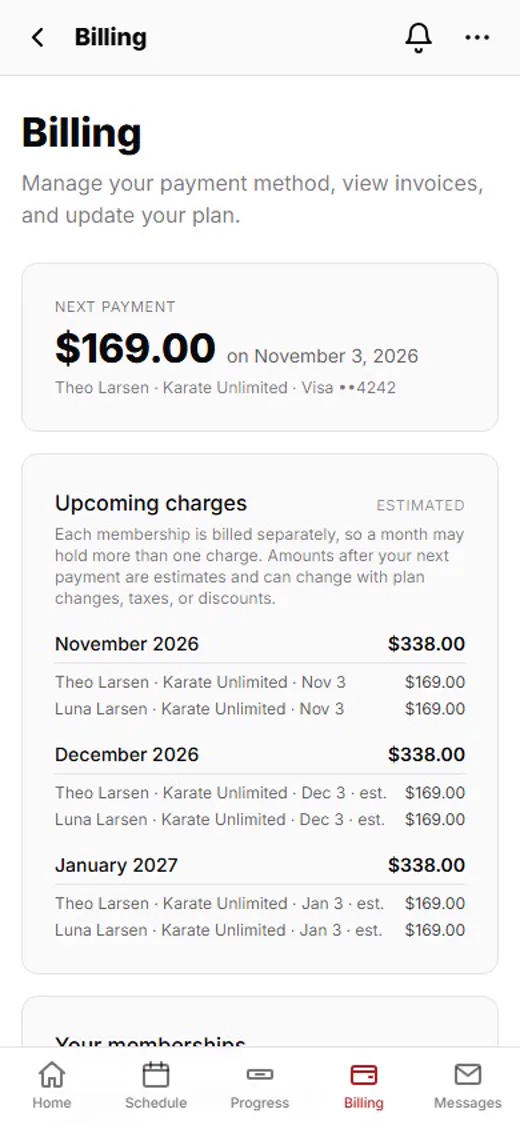
1Tap Billing
Sign in to your family portal or the app, and tap Billing.
 2
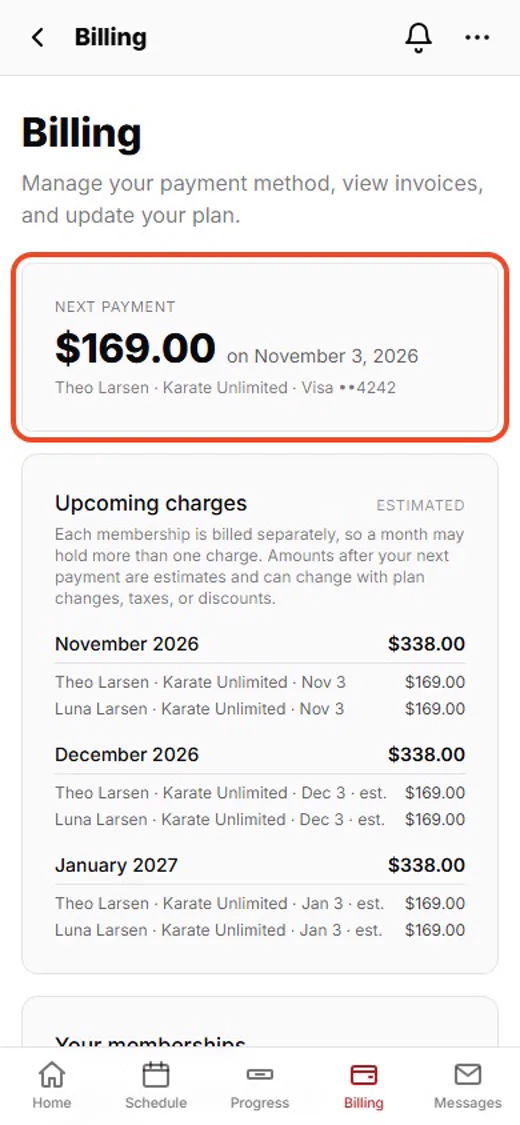
2Your next payment
At the top: how much your next payment is, the date, and which card pays it.
 3
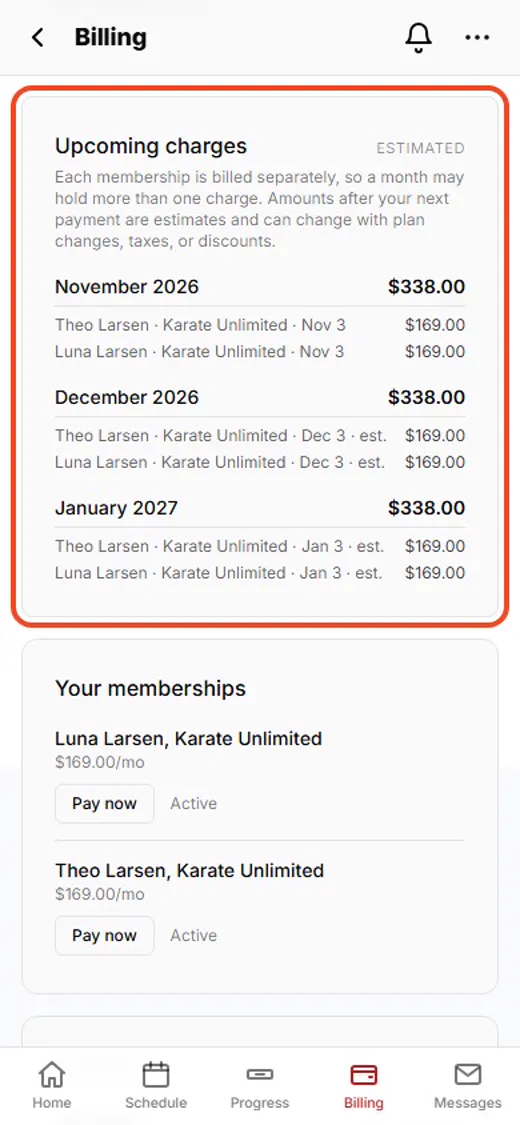
3What’s coming up
Upcoming charges shows the next few months. Each child’s membership is its own charge.
 4
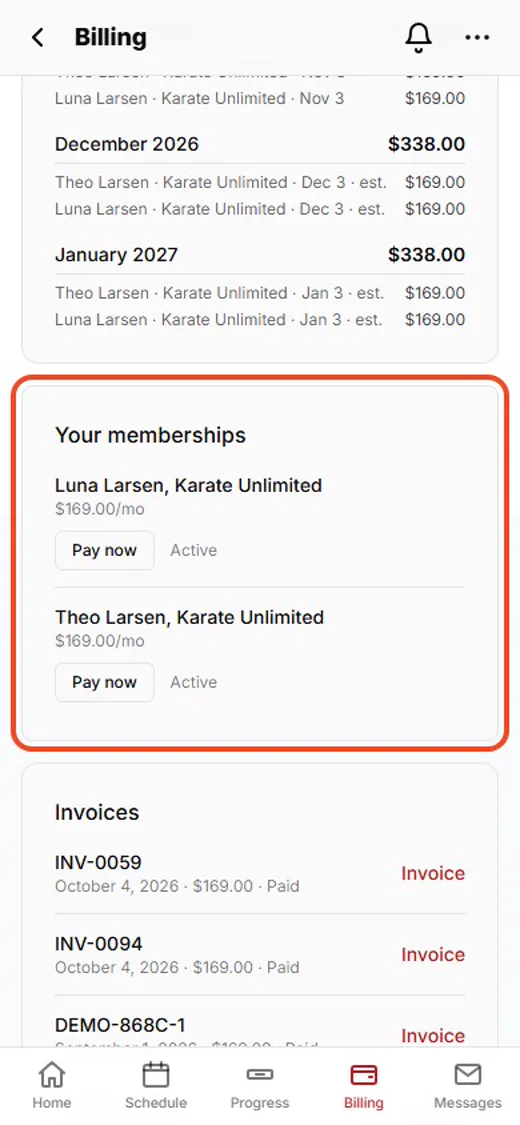
4Your memberships
Your memberships: who’s enrolled, in which program, and the monthly price.
 5
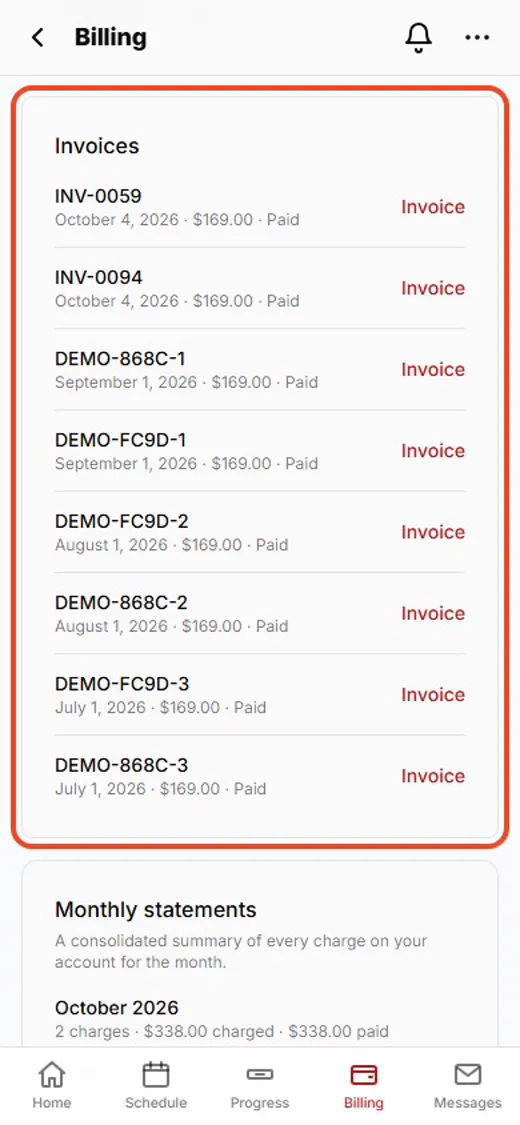
5Every invoice
Every payment you’ve made. Tap Invoice to open one.
 6
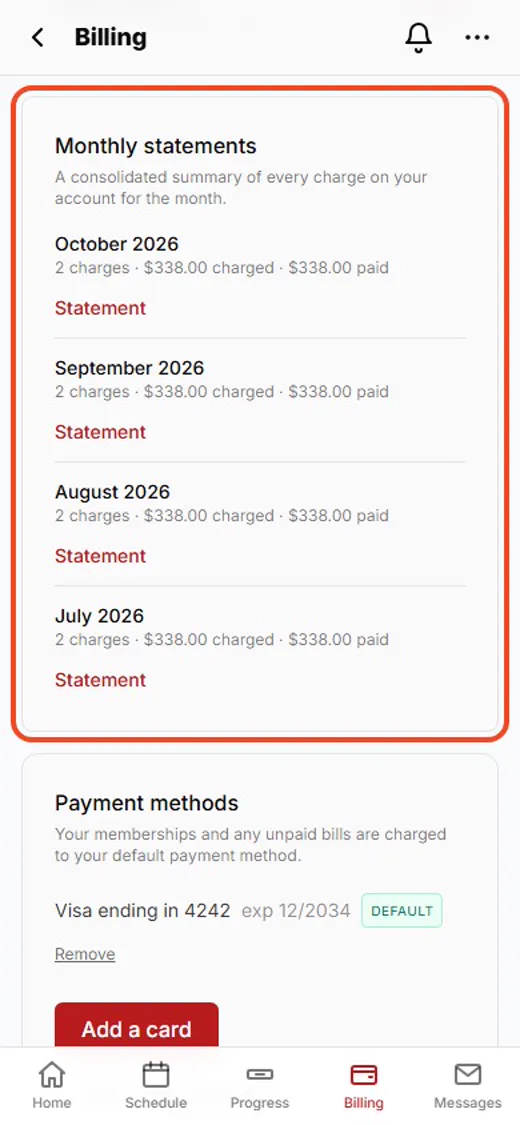
6A statement for each month
A Statement adds up everything for the month. Handy for your records.
 7
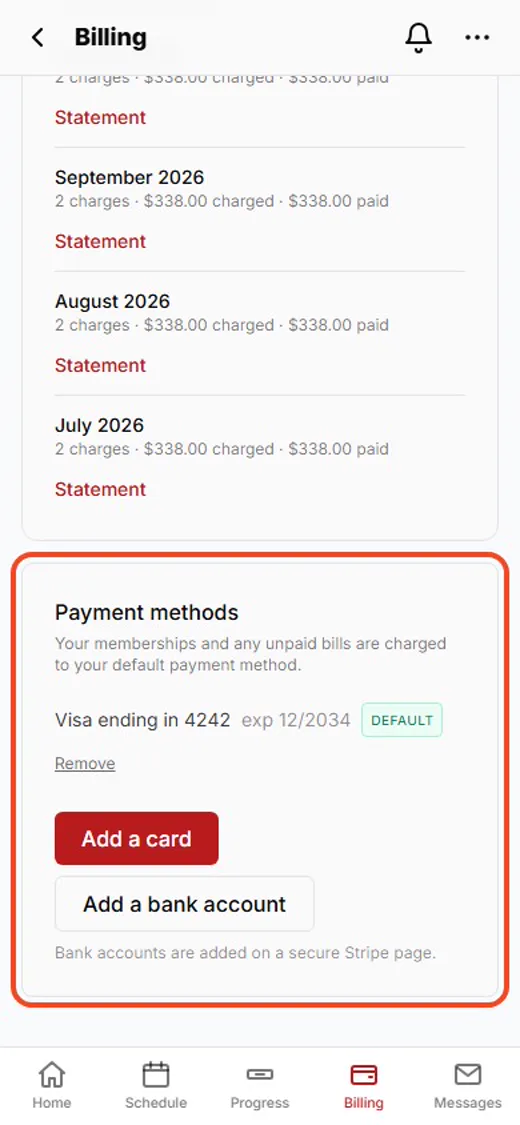
7Your cards
The cards and bank accounts on file. Your default card pays your memberships and any unpaid bills.
Shown with Apex Martial Arts, a demo school. Your school’s pages may look a little different.
What happens next
- 1
Add or change a card
See the guide Adding a card or bank account.
- 2
A charge looks wrong?
Open the invoice first, then ask the front desk. They can see every charge on your account.
Good to know
- Why are there two charges in one month?
- Each child’s membership is billed on its own, so a month can hold more than one charge.
- Why does it say “est.”?
- Amounts after your next payment are estimates. They can change with plan changes, taxes or discounts.
- Need a receipt?
- Tap Invoice next to any payment, or Statement for a whole month.
Stuck?
Ask the front desk at your school. They can see your account and explain any charge.